UX testing is the process of watching real people use your website, app or prototype so you can find the places where they get confused, slow down or give up. Instead of guessing what visitors want, you observe what they actually do, fix the friction, and then check that the fix worked.
Most business owners judge their own website by how it looks to them. That is a natural mistake, because you already know where everything is. A first-time visitor does not. They land on a page, scan for something that answers their question, and leave within seconds if they cannot find it. UX testing is how you see your website through their eyes.
This guide explains what UX testing is, which methods exist, how to run a test step by step, what to measure, and which mistakes to avoid. It is written for business owners, marketers and developers who want practical answers, not theory. It also reflects how we approach testing at Web Development Company Ahmedabad when we design or rebuild a website for a client.
What Is UX Testing?
UX testing (short for user experience testing) is a set of research methods used to evaluate how easy, clear and pleasant a digital product is to use. A tester gives real or representative users a set of tasks, such as "find the pricing page" or "book a consultation", and then records what happens. Where do they click first? Where do they hesitate? What do they say out loud? Where do they fail?
The goal is not to prove that your design is good. The goal is to find problems while they are still cheap to fix. A confusing menu discovered during a prototype test costs an afternoon to change. The same menu discovered after launch costs lost enquiries for months before anyone notices.
UX testing can be done at any stage of a project:
- Before design starts: to understand how people currently solve the problem your website is meant to solve.
- During design: to test sketches, wireframes and clickable prototypes before any code is written.
- After launch: to find out why visitors are leaving, not converting, or not using a feature.
- Before and after a redesign: to confirm the new version really performs better than the old one.
UX Testing vs Usability Testing vs UX Research
These three terms are often mixed up, so it helps to separate them.
- UX research is the broad umbrella. It covers any study that helps you understand users, including interviews, surveys, field visits and analytics review.
- UX testing is the part of that research where users interact with an actual design, prototype or live site, and you evaluate the experience.
- Usability testing is a type of UX testing that focuses on one question: can people complete their tasks easily and without errors? Many people use "usability testing" and "UX testing" as synonyms, and in daily conversation that is fine.
The difference that matters is this. Usability asks "can they use it?" and the wider UX question asks "do they also find it useful, trustworthy and worth coming back to?" A checkout can be perfectly usable and still make someone nervous about entering card details. Good testing looks at both.
Why UX Testing Matters for Your Business Website
A website is usually the first serious impression a potential customer has of your business. If that experience feels slow, unclear or unreliable, they rarely tell you. They simply close the tab and call a competitor. UX testing gives you a way to hear what they would never say.
It protects your conversion rate
Every enquiry form, phone button and "add to cart" action is a step where a visitor can quietly drop out. Testing shows exactly which step loses people and why. Sometimes the cause is obvious once you see it, such as a button that looks like a heading, or a form that asks for twelve fields when three would do.
It builds trust
People judge credibility very quickly, and design plays a big part in that judgement. Broken layouts, hard-to-read text and confusing navigation all signal carelessness. We covered this in more detail in our article on why outdated website design reduces customer trust. Testing helps you catch these trust-breakers before your customers do.
It saves money on redesigns
Redesigns driven by opinions ("I think the homepage should be darker") tend to go in circles. Redesigns driven by test findings have a clear brief. If you are wondering whether a redesign is even needed, our checklist of signs you need a website redesign is a good starting point, and UX testing is the best way to confirm those signs with evidence.
It supports SEO indirectly
Search engines do not publish a "UX score", but the behaviours that good UX produces are the same ones every site owner wants: pages that load quickly, content that answers the question, and visitors who stay and take the next step. We look at this more closely in the SEO section below.
Types of UX Testing
There is no single "UX test". There are many methods, and each answers a different question. Below are the ones that matter most for business websites.
Moderated usability testing
A facilitator sits with the participant (in person or on a video call), gives them tasks, and asks follow-up questions as they go. This is the richest method because you can ask "what did you expect to happen there?" at the exact moment of confusion. It takes more time per session, but you learn a lot from just a handful of participants.
Unmoderated usability testing
Participants complete tasks on their own, usually through a testing platform, while their screen and voice are recorded. You do not need to be present. This is faster and cheaper, and it works well when you want many responses on simple tasks. The trade-off is that you cannot ask follow-up questions.
Guerrilla testing
You approach people in a casual setting, such as a cafe, a co-working space or a college campus, and ask them to try a task for five minutes. It is informal and imperfect, but it is a very cheap way to catch big, obvious problems early.
First-click testing
You show a page or prototype and ask, "Where would you click to do this?" Research on this method consistently shows that when the first click is right, people are much more likely to finish the task. It is a quick way to test navigation labels and page layouts.
Five-second testing
Participants see a page for five seconds and then answer questions such as "What does this company do?" If they cannot answer, your headline and hero section are not doing their job.
Card sorting and tree testing
These two methods test your site structure. In card sorting, users group topics in the way that makes sense to them. In tree testing, you give users a text-only version of your menu and ask them to find specific items. Together they tell you whether your navigation matches how real people think.
A/B testing
You show two versions of a page to different visitors and measure which one performs better against a goal, such as form submissions. A/B testing tells you which version wins, but not why. It works best when you already have enough traffic and a clear hypothesis, and it pairs well with the qualitative methods above.
Accessibility testing
This checks whether people with disabilities can use your site, including people who rely on screen readers, keyboard navigation or high colour contrast. It combines automated scans with manual checks against the Web Content Accessibility Guidelines (WCAG). Accessible sites are easier for everyone to use, so this is not a niche concern.
Performance and mobile testing
A beautiful design that takes eight seconds to load on a mid-range phone is a bad experience. Testing on real devices and real network speeds belongs in every UX test plan. Our guide on how to measure website speed walks through the tools, and our explainer on responsive web design shows why layout has to adapt to every screen size.
How to Choose the Right UX Testing Method
Pick the method based on the question you are trying to answer and the stage you are at.
- "Do visitors understand what we offer?" Use a five-second test or moderated interviews.
- "Can people find what they need?" Use first-click testing, tree testing or card sorting.
- "Why are people leaving this page?" Use moderated sessions and session recordings.
- "Which headline or layout converts better?" Use A/B testing, once you have enough traffic.
- "Does the site work for everyone?" Use accessibility audits and testing on multiple devices.
- "Are we on a tight budget?" Start with guerrilla testing and free analytics tools, then add more as you grow.
A useful rule of thumb: use qualitative methods (watching and listening) to discover why problems happen, and quantitative methods (numbers and experiments) to measure how big they are.
How to Run a UX Test, Step by Step
You do not need a research lab. A simple, well-planned test run on a laptop will uncover most of the serious problems. Here is the process we recommend.
Step 1: Define what you want to learn
Write down one to three clear questions. "Is our website good?" is too vague. "Can a first-time visitor find our pricing and start an enquiry in under two minutes?" is something you can test. Tie each question to a business goal, such as more enquiries or fewer abandoned checkouts.
Step 2: Decide what you will test
This could be your live website, a staging version, a clickable prototype or even a paper sketch. The earlier you test, the cheaper the fixes. If your site is already live, begin with the pages that matter most to revenue: the homepage, key service pages, landing pages and the enquiry or checkout flow.
Step 3: Recruit the right participants
Test with people who resemble your real customers. Testing a B2B software page with college friends will give you misleading feedback. Where possible, recruit from your actual audience: past clients, email subscribers or followers. Avoid testing only with colleagues, because they know too much about your business.
Step 4: Write realistic tasks
Good tasks describe a goal, not instructions. Compare these two:
- Poor: "Click the Services menu and open Website Design."
- Better: "You want a new website for your clinic. Find out what we offer and how you would get in touch."
The second version lets the participant choose their own path, which is exactly what you need to observe. Also avoid using the same words that appear on your buttons, or you will be testing whether people can match words, not whether your design makes sense.
Step 5: Run the sessions
Ask participants to think aloud while they work. Stay quiet and resist the urge to help. When someone struggles, the most useful question is "What are you looking for?" rather than "Did you see the button?" Record the screen and audio if the participant agrees. For most tests, five to eight sessions are enough to reveal the main patterns.
Step 6: Record what you see, not what you think
Take notes on behaviour: where they clicked, where they paused, what they said, whether they completed the task. Keep opinions and solutions out of the notes for now. After the sessions, group similar observations. If three out of five people stumbled at the same spot, you have found a real problem.
Step 7: Prioritise and fix
Rate each issue by how many users hit it, how badly it blocked them, and how easy it is to fix. Fix the severe, widespread problems first. A form that stops people from submitting an enquiry matters far more than a slightly awkward icon.
Step 8: Retest
Changes can create new problems. After fixing the top issues, run a smaller round of testing to confirm the fixes worked. Treat UX testing as a loop, not a one-time event.
What to Measure: UX Testing Metrics
Numbers turn individual observations into evidence you can share with a team or a client. These are the most useful measures:
- Task success rate: the percentage of participants who complete a task. This is the single most important usability metric.
- Time on task: how long it takes to complete the task. Compare it against your own earlier results or a target you set.
- Error rate: how often users make mistakes, such as clicking the wrong link or entering data in the wrong field.
- Single Ease Question (SEQ): a one-question survey right after each task: "Overall, how easy or difficult was this task?" on a seven-point scale.
- System Usability Scale (SUS): a standard ten-question questionnaire that produces a score from 0 to 100. A score around 68 is commonly treated as average, which gives you a benchmark.
- Conversion rate and drop-off points: from your analytics, the share of visitors who complete a goal and the steps where they leave.
- Core Web Vitals: Google's page experience measures for loading (Largest Contentful Paint), responsiveness (Interaction to Next Paint) and visual stability (Cumulative Layout Shift).
Do not chase every metric. Choose the two or three that connect directly to the goals you wrote in step 1.
How Many Users Do You Need?
This is one of the most common questions, and the answer is smaller than most people expect. Research from the Nielsen Norman Group, which is widely cited in the UX field, found that testing with about five users uncovers the majority of usability problems in a single design. Beyond that, each extra participant mostly repeats what you have already seen.
That does not mean five people is always enough. If you have very different audiences, such as shoppers and wholesale buyers, test five from each group. If you want statistical confidence in numbers like conversion rates, you need far more traffic than a handful of testers, which is where A/B testing and analytics come in. The practical approach is to run small rounds often, rather than one large study that you never repeat.
UX Testing Tools Worth Knowing
You can run effective tests with simple tools. Here is how they group by purpose.
- Analytics: Google Analytics 4 shows where traffic drops and which pages perform. Google Search Console shows how people reach you.
- Heatmaps and session recordings: Microsoft Clarity (free) and Hotjar show where people click, scroll and get stuck.
- Remote usability testing: Maze, UserTesting and Lookback let you run moderated or unmoderated sessions with recordings.
- Navigation testing: Optimal Workshop offers card sorting and tree testing.
- Performance: Google Lighthouse and PageSpeed Insights measure speed and Core Web Vitals.
- Accessibility: WAVE, axe DevTools and the accessibility audit inside Lighthouse catch common issues, though they cannot replace manual checks.
- Prototyping: Figma lets you build clickable prototypes to test before development begins.
Tools collect data. They do not tell you what to do with it. The value comes from the questions you ask and the decisions you make afterwards.
Common UX Testing Mistakes
Many tests fail not because the method was wrong, but because of avoidable errors in how they were run.
- Testing too late. If you only test after development is finished, every finding becomes an expensive change request.
- Asking leading questions. "Don't you think this menu is clear?" produces polite agreement, not truth. Ask neutral questions like "How would you find our contact details?"
- Testing with the wrong people. Friends, family and staff are not your customers.
- Helping participants. The moment you explain the interface, you have ruined the test. If they are lost, that is the finding.
- Trusting what people say over what they do. Participants often say they liked something while struggling visibly. Behaviour is more reliable than opinion.
- Collecting findings and doing nothing. A report that sits in a folder helps nobody. Every test should end with a prioritised list of changes and an owner for each.
- Ignoring mobile. Many visitors will use a phone, often on a slower connection. Test there first, not as an afterthought.
Several of the problems that testing uncovers are the same ones we list in common web design mistakes to avoid: unclear navigation, cluttered layouts, weak calls to action and slow pages. If you want a quick sense of what to look for before you test, that article is a helpful companion.
What to Test on a Business Website
If you are not sure where to begin, start with these areas. They have the biggest impact on enquiries and sales for most local and service businesses.
Homepage and first impression
Can a new visitor tell within a few seconds who you are, what you do and what to do next? Run a five-second test and check that your headline, main image and primary button all point the same way.
Navigation and site structure
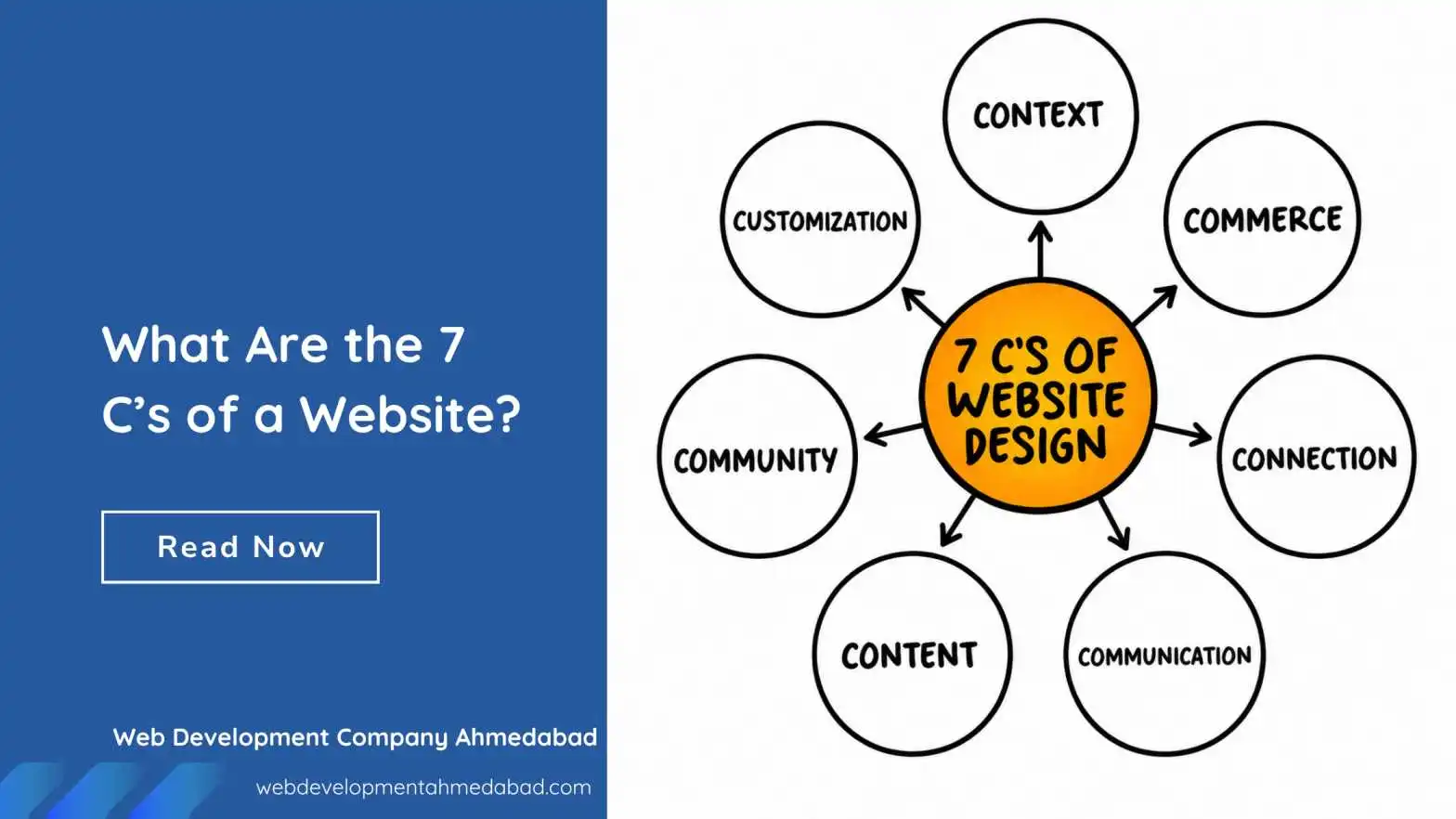
Check that menu labels use words your customers actually use, not internal jargon. A well-organised structure also helps search engines understand your site. The 7 C's of a website give you a simple framework to review clarity, content and convenience side by side.
Landing pages
These pages exist for a single action, so every distraction costs you. Test the headline, the form length and the placement of the main call to action. If you are building one, read how to design and develop landing pages that convert first, then test the finished page with real users.
Forms and checkout
Forms are where interest turns into business. Look for unnecessary fields, unclear error messages, and anything that makes people hesitate before submitting. For online stores, our guide to eCommerce website design best practices lists the checkout and product-page elements that deserve extra attention.
Mobile experience
Use a real phone, not just a resized browser window. Check tap targets, text size, pop-ups that cover content, and how the page behaves on a slow connection. For many Ahmedabad businesses, a large share of visitors arrive on mobile, so the phone experience is the main experience.
Trust signals
Ask testers what makes them feel confident or doubtful. Real reviews, clear contact details, a physical address and consistent branding all help. Missing or outdated elements quietly push people away.
UX Testing and SEO: How They Connect
UX testing and search engine optimisation have the same goal: helping the right person find what they need quickly. They work best together.
- Search intent: Testing reveals whether the page you rank for actually answers the visitor's question. If people land and immediately leave, the content or layout may not match what they expected.
- Page experience: Speed, mobile-friendliness and visual stability influence how visitors behave and are part of Google's page experience signals.
- Structure and navigation: Clear site architecture helps users and crawlers. Findings from tree testing often lead to better internal linking and cleaner URLs.
- Content clarity: Plain language, scannable headings and obvious next steps help both readers and search engines understand the page.
If you are planning a redesign, test before you change anything, so you do not remove the elements that already work. Our guide on how to protect your SEO during a website redesign explains how to keep rankings safe while improving the experience. If you want specialist help with rankings, our team also offers SEO services in Ahmedabad.
A Simple UX Testing Plan You Can Start This Week
If all of this feels like a lot, begin small. Here is a lightweight plan that takes about a week and costs almost nothing.
- Day 1: Open your analytics and list your five most visited pages and the three pages where visitors leave most often.
- Day 2: Install a free heatmap and recording tool such as Microsoft Clarity, so data starts collecting.
- Day 3: Write three realistic tasks, for example "find our contact number", "find the price of a service" and "submit an enquiry".
- Day 4 and 5: Ask five people from your target audience to try those tasks while you watch and take notes.
- Day 6: Group your notes, mark the problems that appeared more than once, and rank them by severity.
- Day 7: Fix the top two or three problems, then plan a short retest.
Repeat this cycle every quarter, or before and after any major change. Small, steady improvements usually beat one dramatic redesign.
When to Bring in a Professional Team
You can run basic tests yourself, but some situations call for experience: a high-traffic store with a leaking checkout, a redesign with a large budget, or a site serving several very different audiences. A professional team can plan the research, recruit the right participants, spot patterns that are easy to miss, and turn findings into design and development work.
Web Development Company Ahmedabad is a website design and development team based in Ahmedabad, Gujarat. We combine testing with design and build work, so findings do not stop at a report. They become changes on your live site. If you are planning a new site, our website design services cover research, design and development together, and our website redesign services are built for businesses whose current site is not delivering. When you are ready to talk, you can contact us here.
Frequently Asked Questions About UX Testing
What is UX testing in simple words?
UX testing means watching real people try to use your website or app and noting where they get stuck, confused or frustrated. The findings help you fix problems so more visitors can complete what they came to do.
What is the difference between UX testing and usability testing?
Usability testing checks whether people can complete tasks easily. UX testing is slightly broader and also considers how people feel about the experience, including trust, clarity and satisfaction. In everyday use the two terms often overlap.
How much does UX testing cost?
It depends on the method. Guerrilla testing and free analytics tools cost almost nothing but your time. Professional moderated studies with recruited participants cost more because of the planning, incentives and analysis. A small business can get meaningful results from a simple round of five sessions.
How many users should I test with?
For qualitative usability testing, five to eight participants per audience group is usually enough to find the main problems. For numerical confidence, such as comparing conversion rates, you need larger traffic and methods like A/B testing.
How often should I run UX tests?
Test before a redesign, after launching major changes, and on a regular schedule such as every quarter for important pages. Small, frequent tests are more useful than a large test once every few years.
Can UX testing improve my Google rankings?
UX testing does not change rankings directly. However, the improvements it leads to, such as faster pages, clearer content and easier navigation, support the signals and visitor behaviour that help a site perform better in search.
Do I need UX testing before building a new website?
It is highly recommended. Testing wireframes or a prototype before development catches structural problems when they are cheapest to fix, and it gives your design and development team a clear, evidence-based brief.
Key Takeaways
- UX testing means observing real users to find and fix friction on your website.
- Choose the method that fits your question: moderated sessions for the "why", analytics and A/B tests for the "how much".
- Five to eight participants per audience group will reveal most major problems.
- Write realistic tasks, stay neutral, and watch behaviour rather than opinions.
- Prioritise findings by severity, fix them, and retest.
- Start with your homepage, key service pages, landing pages, forms and mobile experience.
For more practical advice on design, usability and conversions, browse our web design guides and put the next piece of the puzzle in place.